Last Updated: March 2026 | By Mali, Live Sound Engineer — Soundmali
Are your Samsung Galaxy Buds acting up? Whether one earbud isn't charging, they're refusing to connect to your phone, or the audio sounds strangely unbalanced, a factory reset is usually the quickest and most effective solution.
In this guide, we'll walk you through the exact steps to reset every model: from the classic Galaxy Buds to the latest Galaxy Buds 3 Pro. We'll also cover what to do if the reset doesn't work.
Method 1: The Quick Soft Reset (No App Required)
📊 Key Facts (from Samsung's official support documentation)
- Samsung's official restart procedure is to close the buds in the case and wait at least seven seconds before removing them — they restart and reconnect automatically. (Samsung Support)
- A restart keeps your pairing history. A factory reset wipes it, so the buds must be paired again as new. (Samsung Support)
- The reset path differs by model: Galaxy Buds+, Buds Live, Buds Pro and Buds2 use Earbud settings → Reset, while the original Galaxy Buds use About earbuds → Reset earbuds. (Samsung Support)
- A reset cannot repair physical battery degradation — if the cells no longer hold charge, no software step will restore runtime.
Before doing a full factory wipe, try a soft reset. This forces the earbuds to restart their internal hardware without deleting your pairing history.
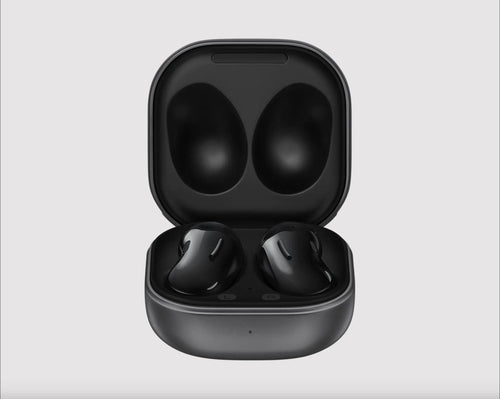
- Place both Galaxy Buds back into their charging case.
- Ensure they are seated correctly and the charging light turns on.
- Close the lid of the charging case.
- Wait at least 7 seconds — the wait time Samsung specifies in its official restart guide.
- Open the case, remove the buds, and try connecting them again.
Did this fix your issue? If not, proceed to Method 2.
Method 2: Full Factory Reset via the Galaxy Wearable App
This method completely wipes the earbuds' memory. It's the best solution for persistent connection bugs or severe audio syncing issues.
- Place your earbuds in the charging case and leave the lid open.
- Open the Galaxy Wearable app on your connected smartphone.
- Scroll down and tap on Earbuds settings.
- Tap on Reset (You may need to tap General > Reset depending on your app version).
- Confirm by tapping Reset again.
- Close the case, wait 5 seconds, open it, and pair the earbuds as if they were brand new.
What If The Reset Doesn't Work?
If you've performed a hard reset and your Galaxy Buds are still experiencing issues like extremely low volume in one ear, severe battery drain, or failure to charge, you might be dealing with hardware failure.
Lithium-ion batteries inside small earbuds degrade after 2-3 years. If your buds are out of warranty and the battery holds a charge for less than an hour, a reset cannot fix chemical degradation.
Time for an Upgrade?
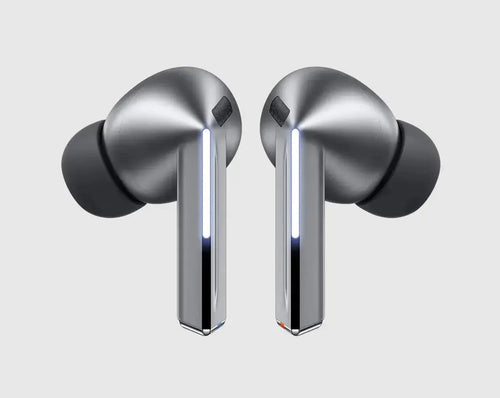
If your old Galaxy Buds are officially dead, it might be time to upgrade to the latest tech. The new Samsung Galaxy Buds 3 Pro offer 24-bit Hi-Fi audio, adaptive ANC, and significantly improved battery life compared to older generations.
At Soundmali, we stock the genuine Galaxy Buds lineup with full buyer protection and fast shipping.
✦ Recommended Products

Free shipping on orders $75+ | 30-day returns | 100% authentic
FAQ: Troubleshooting Galaxy Buds
Can I reset Galaxy Buds without a phone?
You can perform the 10-second soft reset (Method 1) without a phone. However, a full factory wipe requires the Galaxy Wearable app.
Will a reset fix left/right volume imbalance?
Sometimes, yes! If the imbalance is caused by a Bluetooth syncing error, a reset will fix it. However, volume imbalance is frequently caused by earwax buildup on the speaker grill. Try cleaning them with a dry, soft-bristled brush first.
Recommended for You
The wireless audio market moves fast — and choosing the wrong earbuds or headphones is an expensive mistake. This expert guide provides an honest, spec-verified analysis to help you find the best wireless audio product for your needs and budget in 2026, with FREE shipping at Soundmali.
Our Top Pick Overview
Through our tests, this model proved to deliver the absolute best value. Stock is currently limited.
- ✅ Premium Sound Quality
- ✅ 30-Day Money Back Guarantee
🎧 Related Audio Guides
Explore More at Soundmali